|
|
Was this forwarded to you? Get The Fourth Estate AI Brief in your inbox →
|
|
|
|
View this issue in your browser
Friday Deep-Dive
How to get the exact image in your head out of ChatGPT
Everyone who's used ChatGPT for image generation has had this experience: you ask for something, you picture exactly what you want, the AI gives you something different — and you accept it, because you don't know how to tell it what was actually in your head. Most of the AI images you see online are the result of that compromise. They're not the image the creator wanted; they're the image ChatGPT defaulted to. The skill that separates "AI is fine, I guess" from "AI gave me exactly what I pictured" is something you can learn in twenty minutes — and here it is.
|
Getting the image you actually pictured
Everyone who's tried generating an image with ChatGPT has had this experience: you ask for something, you picture exactly what you want, the AI gives you something different — and you accept it, because you don't know how to tell it what was actually in your head.
Most of the AI images you see online are the result of that compromise. They're not the image the creator wanted; they're the image ChatGPT defaulted to. There's a real skill gap between "AI is fine, I guess" and "AI gave me exactly what I pictured," and it's smaller than most people think.
The fix is a set of four techniques — vocabulary, reference, iteration, negation — that take a vague prompt and aim it at the specific image you have in your head. Once you've practiced them on a single image, the rest become muscle memory.
In the full post: why ChatGPT defaults to generic outputs, the four levers that aim it at the specific image you want, the reverse-prompting trick that captures any style in 90 seconds, how to build a personal reference library you can reuse forever, and five "I want THAT image" scenarios with the prompts to get there.
Publishers who learn to get the *specific* image they pictured — not just an image — stop settling for generic AI outputs and start producing visuals that look like deliberate creative choices. That's the difference between AI work that looks lazy and AI work that looks like craft.
Read the full post →
|
|
What is?
Reverse Prompting
What it is: The trick of handing an AI an existing image and asking it to write the prompt for you, instead of typing one from scratch. You upload a photo with the look you want, ask the model to describe it as a detailed image-generation prompt — covering subject, setting, lighting, photography style, film stock, imperfections — and it produces a paste-ready template you can reuse, swap, and refine. It works because AI is much better at describing style than most humans are at naming it.
Why publishers care: The newsroom version is the best AI-image hack going: take a feature photo from your own paper's archive that readers loved twenty years ago, reverse-prompt it, and you've just captured your house visual style as a reusable AI prompt. Every ad you generate going forward can carry that look — meaning your AI work stops looking like every other AI image on Facebook and starts looking like your paper. Five minutes of reverse-prompting can save you years of trying to articulate "what does our paper actually look like?"
|
|
|
|
The Fourth Estate AI Brief lands twice a week — Tuesdays for quick wins, Fridays for deeper dives like this one. Hit reply with what you're trying to build and I'll point you at the right tool. Trevor Slette runs Quadd.ai — AI tools built for publishers.
|
|
— Trevor
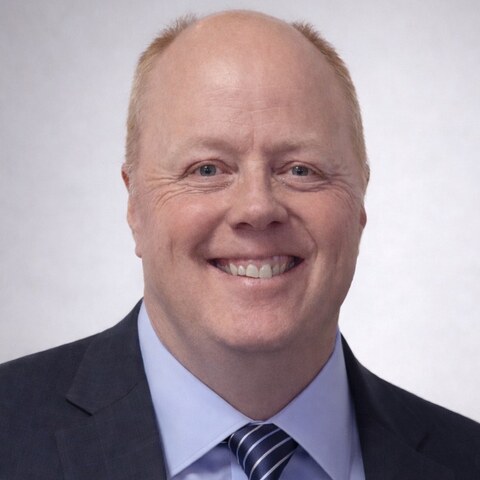
Trevor Slette
Co-founder, Quadd.ai · 28-year community publisher
trevors@quadd.ai
·
Book a 15-min call
·
LinkedIn
P.S. P.S. If you generate something this weekend that's exactly what you pictured — not the AI's first guess, the image you actually wanted — reply and send it to me with the prompt. I'm collecting real publisher work that breaks through the generic AI look. Best one gets featured in a follow-up issue.
|
|
|
|
|
Run a newspaper. Use Quadd.
AI tools built for small newsrooms. Document intelligence that turns court reports and box scores into copy you can paste into your layout. Audio transcription that finds the quote without you scrubbing for it. AP-style proofreading that tightens copy without flattening voice. Built by someone who knows what a Tuesday night feels like. Free for seven days.
Request a 7-day trial →
|
|
|