
From Friday Deep-Dive · Friday, May 15, 2026 · 5 min read
Six models, one prompt — here's how to build your image factory
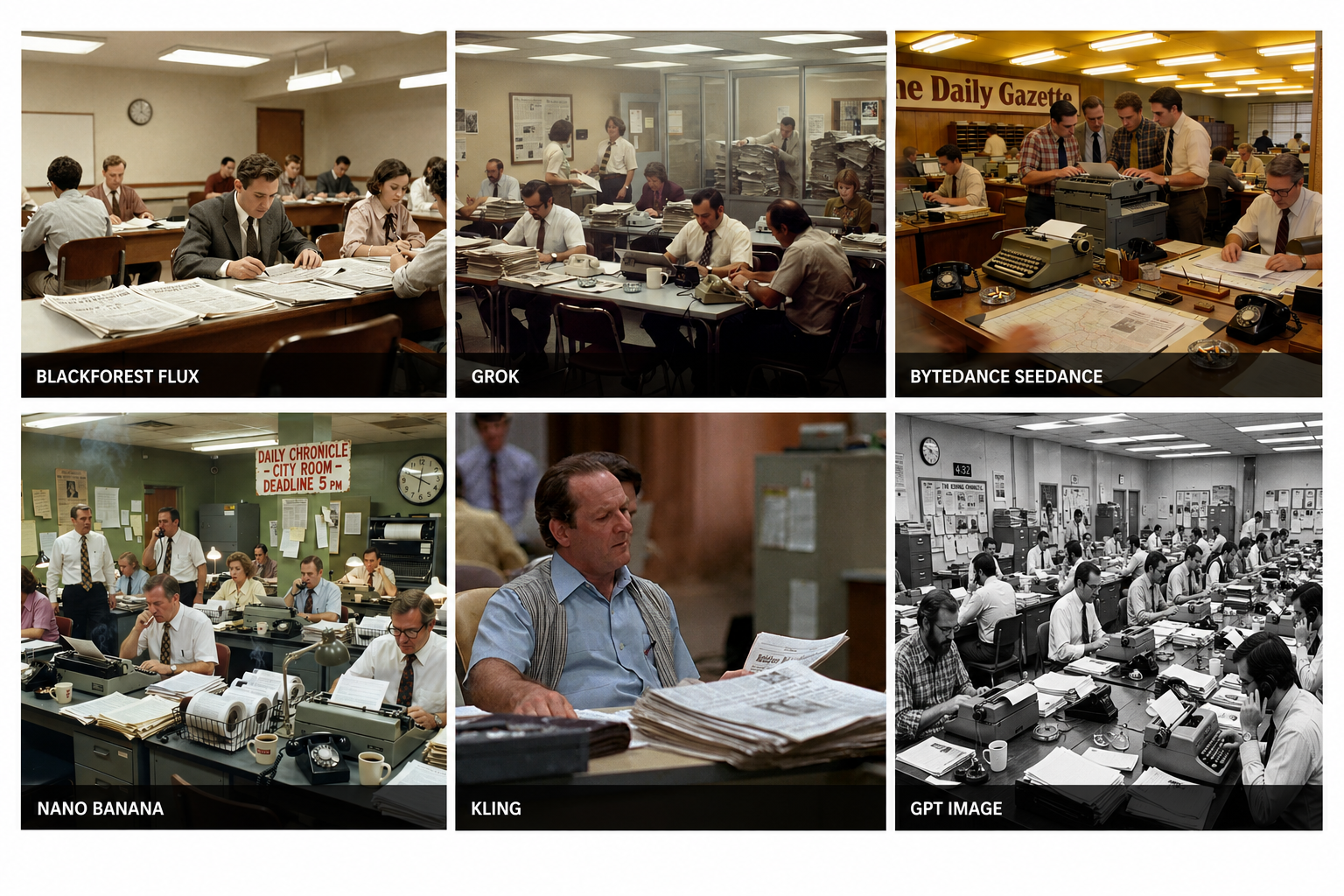
Six photos of a 1970's newspaper newsroom, each generated by a different AI model — Blackforest, Grok, Bytedance, Nano Banana, and two more — from one sentence typed into Claude Code. Six versions in the time it took to type the prompt.

Those six newsroom photos at the top? Generated from one typed sentence. Thirty seconds, six different AI models, no browser tabs. By the end of this post you'll be doing the same — for story art, ad creative, special-edition covers, social posts, and anything else your shop needs an image for.
Meet the six contenders
Same prompt, six different AI models. Here's how each one rendered it:
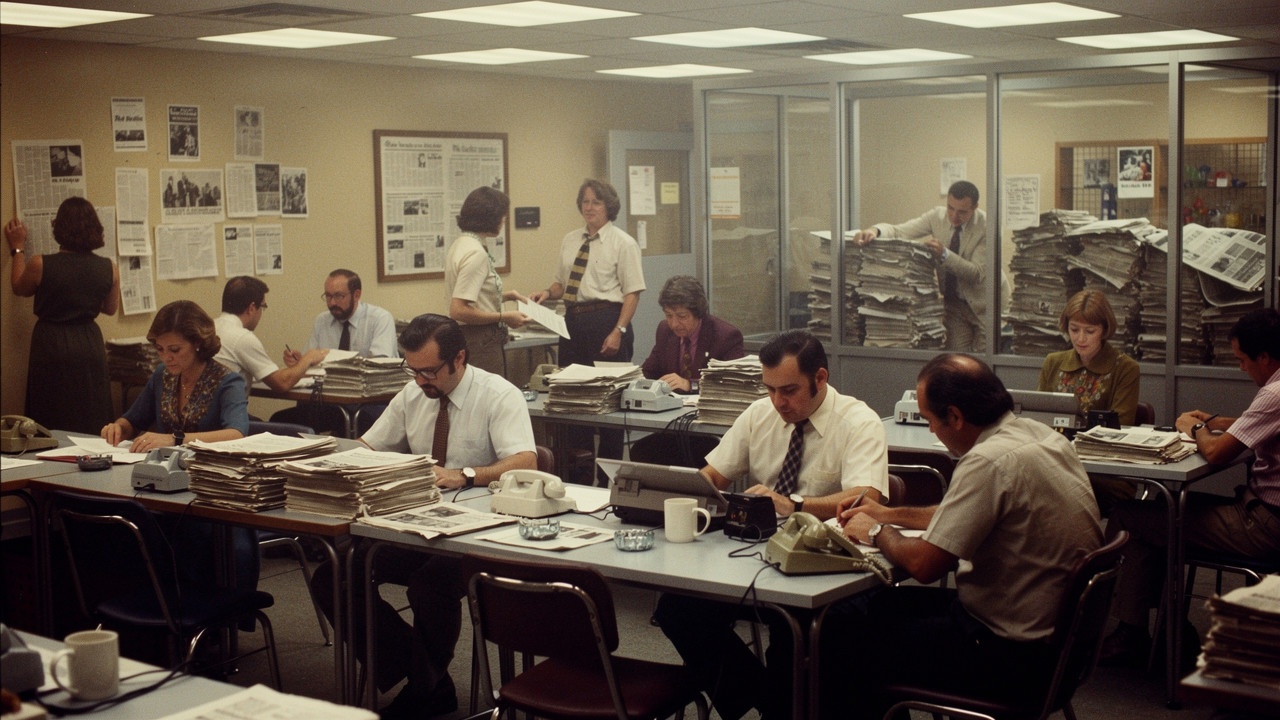

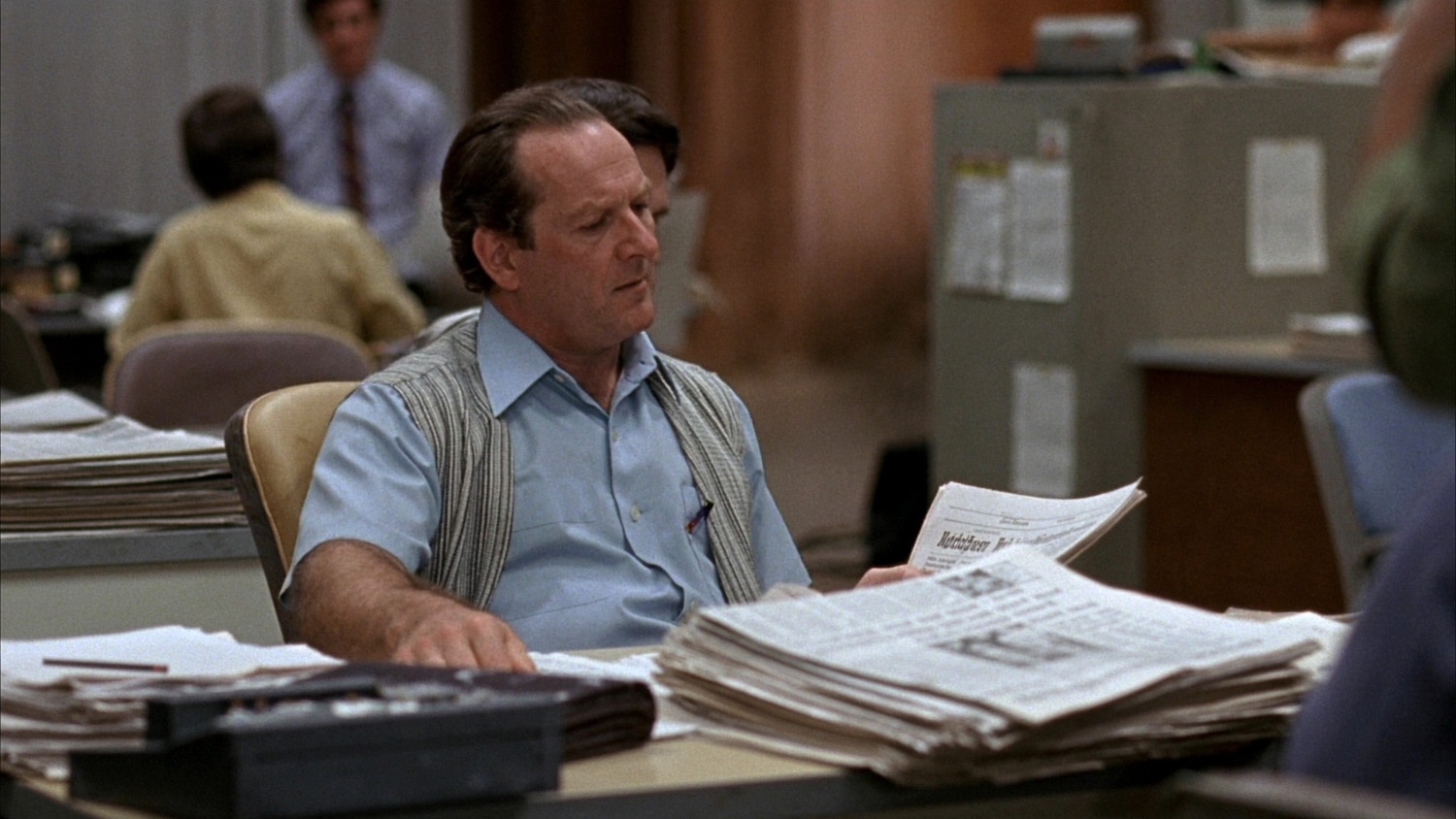
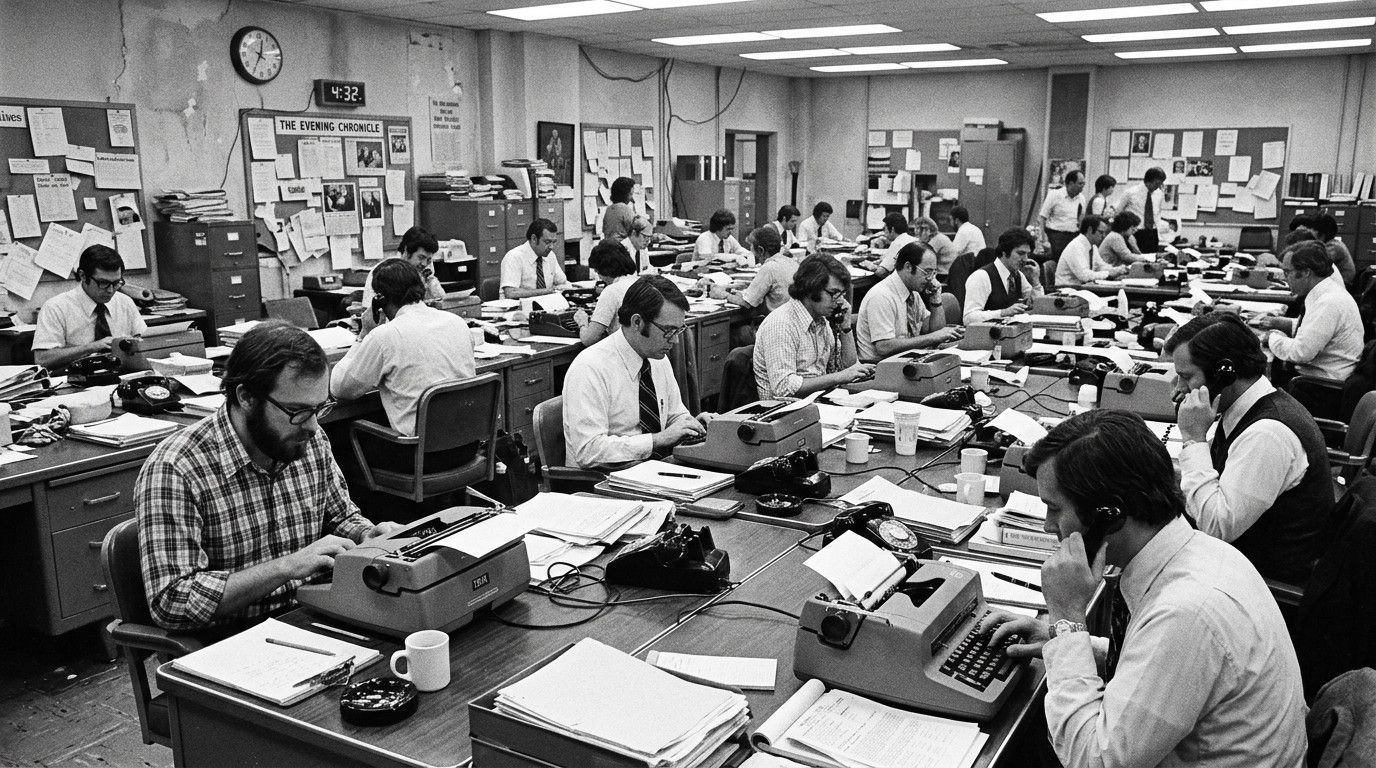
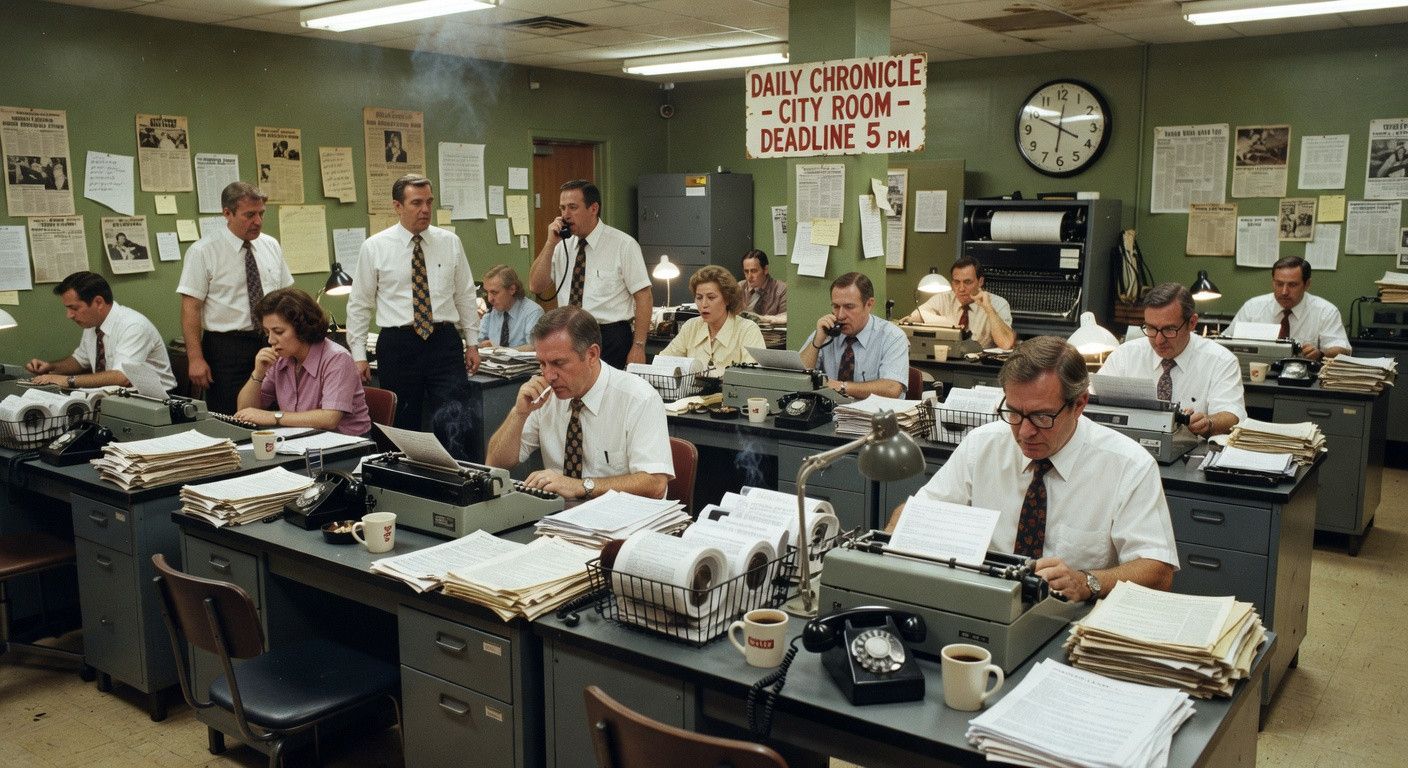
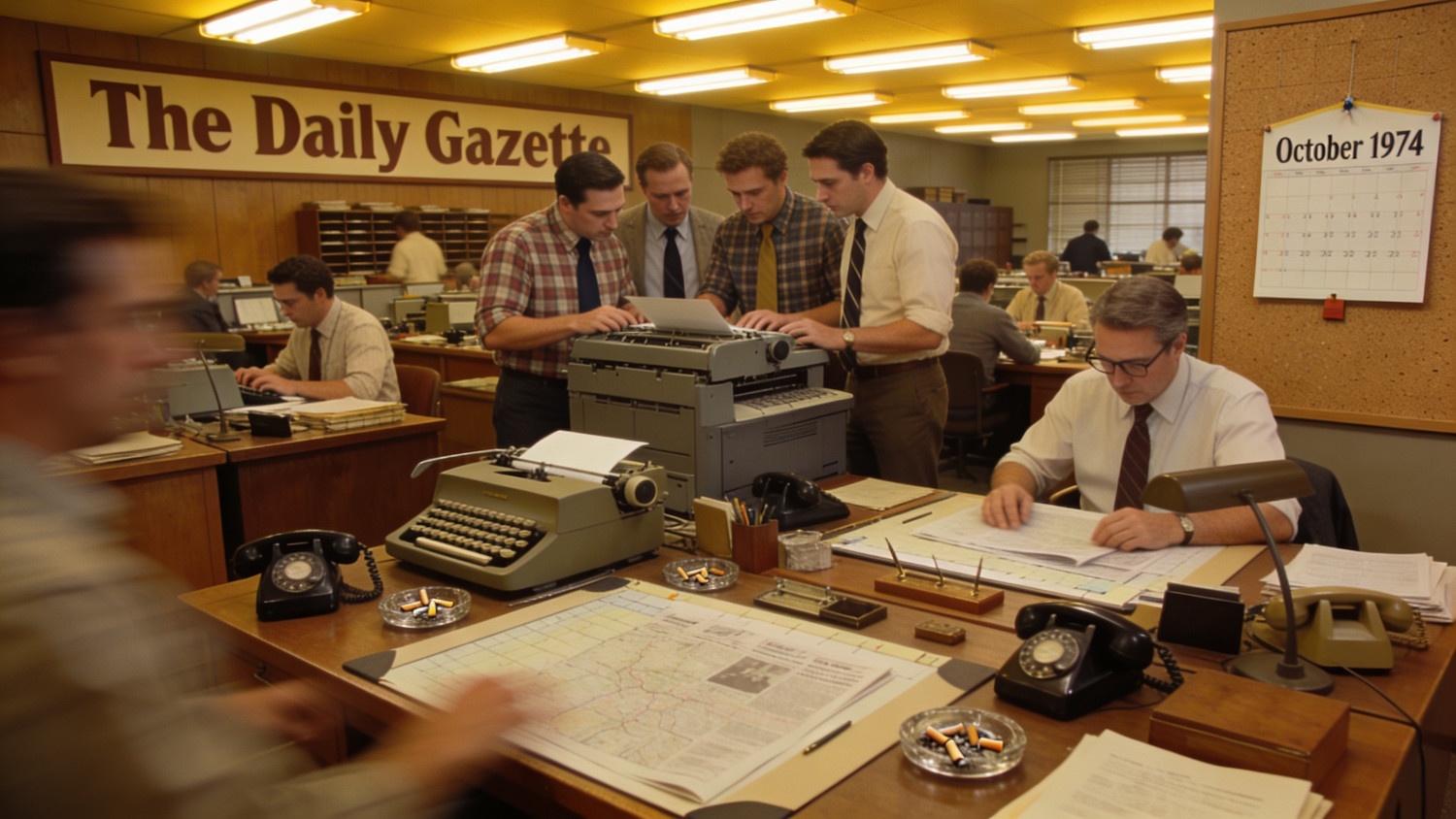
Each model has its own personality. That's the whole point of running six in parallel — you stop guessing which tool will "get it right" and just pick the one that fits.
The whole thing runs on two tools:
- Claude Code — Anthropic's AI assistant. You install it on your computer and chat with it, like ChatGPT, except it can actually do things for you. Free to start.
- Higgsfield — a service that connects you to almost every major AI image generator at once. Free trial, no credit card.
Stitch them together and you've got a one-window image factory.
First time using Claude Code?
If you've never used Claude Code, here's the setup. It's the same on every computer — about five minutes, all free.
Step 1: Install Node.js
Higgsfield (the image-generation tool) needs Node.js to run. You won't interact with it directly — install it once and forget about it.
- Go to nodejs.org in your web browser
- Click the big green LTS download button (it picks the right version for your computer automatically)
- Open the file you just downloaded and click Next through the installer (defaults are fine)
Step 2: Open your terminal
A terminal is a window where you type commands instead of clicking. Every computer has one. We'll need it for two short commands.
On Windows:
- Press the Windows key on your keyboard (the one with the four-square logo)
- Type PowerShell and press Enter
- A dark blue window with white text opens — that's PowerShell, your terminal
On Mac:
- Press Command + Space at the same time (this opens Spotlight Search)
- Type Terminal and press Return
- A white or dark window with text opens — that's Terminal
Keep that window open. The text doesn't matter — you'll type into it next.
Step 3: Install Claude Code
In the terminal window, copy the line below for your computer and paste it in. Then press Enter / Return.
On Mac: curl -fsSL https://claude.ai/install.sh | bash
On Windows (PowerShell): irm https://claude.ai/install.ps1 | iex
Text will scroll for about 30 seconds while Claude Code installs. When you see your normal terminal prompt again, it's done.
Step 4: Start Claude Code
In the same terminal, type the word Claude and press Enter / Return.
A welcome message appears. The first time, it'll ask you to sign in — use a free Claude account (or create one in 30 seconds).
You're ready. Continue with Step 1 below.
Step 1: Tell Claude Code to set up Higgsfield
This is the only setup you'll ever do. Once it's done, every future image is one sentence.
Open Claude Code and start a new chat. Copy and paste this exact message:
Please install the Higgsfield CLI tool and the Higgsfield skills bundle. Walk me through signing in to my Higgsfield account when you're ready. If you need permission to run commands, I'll grant it.
Claude Code handles all the technical setup itself. Two things to know during the install:
A permission popup. The first time Claude Code wants to run a new command, it asks for permission right in the chat — something like "Do you want to proceed? 1. Yes 2. Yes, and don't ask again for this command 3. No." Pick option 2 ("don't ask again") so it stops interrupting you for every step.
A browser sign-in window. Partway through, Claude Code pops open your browser to sign you into Higgsfield. If you don't have an account, click Create account — it's free, and they give new users free tokens, so this whole walkthrough costs nothing. Close the browser tab once you're signed in.
Claude Code finishes the install on its own and lists out the four Higgsfield skills now available: image generation, product photoshoot, character consistency (Soul ID), and marketplace card templates. You're done. One time, ever.
Step 2: Make your first batch of images
Still in the same Claude Code chat, paste this prompt:
Use Higgsfield to generate six different images using the same prompt. Pick a different image provider for each one — I want to see how they differ. Prompt: (fill in with what you'd like) as if taken on a Kodak camera. Download the images to my computer when you're done.
Claude Code runs six generations in parallel — one for each AI model — and saves the results in a folder on your computer.
That's the whole workflow. Every future batch is just one sentence in a chat window.
A pro tip for your second batch: For this select a prompt that matches what your shop actually needs. "A 1970s newspaper newsroom on Kodak film" (the one I used for the images above). "A small-town main street at golden hour." "A studio product shot of a coffee mug on white background." The same one-sentence workflow, every time.
Four ways to put this to work in your shop
- Story illustrations on deadline (reporters). Generate three style options in 60 seconds, pick the one that fits the tone of the piece. No more "stock photo of laptop on desk" defaults.
- Ad creative for local advertisers (designers). Build six variations of the same concept while the client is still on the phone. Faster approvals, fewer revision cycles, same flat rate.
- Section flags, special-edition covers, and spot art (compositors). Generate fresh visuals that match the section's tone in a minute — instead of digging through the same stock library you've been using for years.
- Iterate cheap, finalize premium (everyone). Dial in your prompt using lower-cost models like Flux or Nano Banana, then run the final pass on GPT Image or Higgsfield's flagship. Saves money and iteration time. (Bonus: Higgsfield connects to the major video generators too — Kling, Sora, Veo, Runway — same workflow.)
The real deal
Higgsfield handles every difference between AI providers behind the scenes. So Claude Code only has to learn one tool — Higgsfield — instead of seven different image and video apps.
Your AI assistant goes from "specialist in one model" to "generalist creative production manager." That's the best of the site.
Reply and tell me if you try it. I'd love to see what you make.
Try this and tell me what happened.
Did it work? Hit reply. Did it come back sounding like a stranger? Hit reply harder. That’s the interesting failure, and it’s almost always fixable.
Get the next one in your inbox
Tuesday brief + Friday deep-dive. Free. Unsubscribe anytime.
Subscribe — free, twice weekly← Back to Six AI image models. One typed sentence. Zero browser tabs.