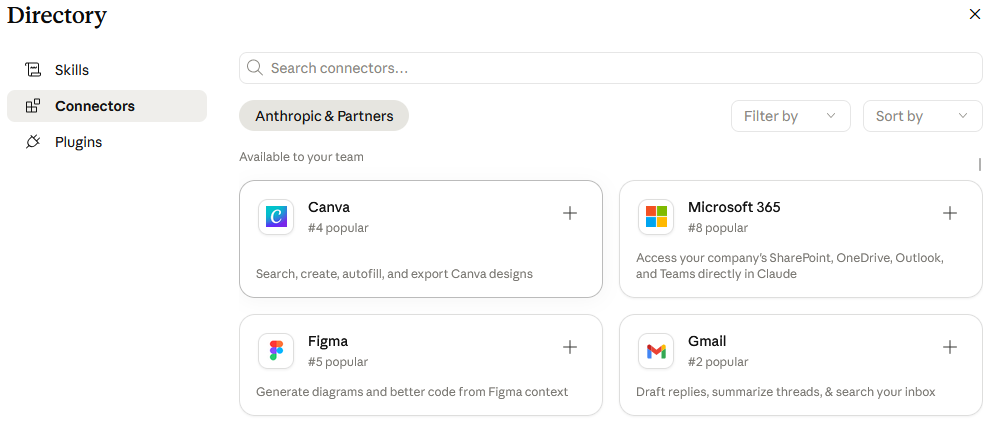
Until recently, using Claude meant a lot of copy-paste. The article you wanted summarized, the email thread you wanted analyzed, the spreadsheet you wanted explained — every conversation started with manually pulling content out of the source and pasting it into the chat.
Anthropic just changed that with Connectors: a feature in your Claude settings that, once enabled, lets Claude read your Gmail, your Google Drive, your Notion workspace, your Calendar, and a few dozen other tools directly. One-time setup, then Claude can search, summarize, and pull from your real archive on demand.
For a small newsroom, this is the moment Claude becomes genuinely useful for the work you actually do.
First — what is a Connector?
If you've used Claude, you know the conversation pattern: you ask, you paste, Claude answers. The paste step is the friction. Connectors remove it.
A Connector is a one-time authorization that grants Claude access to a specific service — Gmail, Google Drive, Notion, GitHub, Slack, and so on. Once connected, Claude can search and read from that service inside any conversation. Ask it "what did the superintendent email me about last month?" and it searches your actual Gmail. Ask "what's the trend in our classified ad revenue this year?" and it pulls the actual spreadsheet from your Drive.
Under the hood, Connectors use an open standard called MCP (see the "What is" section) that Anthropic published last year. Most major tools have built one. As of this writing there are over 50 official Connectors in the directory, plus a growing pile of community-built ones.
What's available right now
The Connectors most publishers will actually use:
- Gmail — search, read, and draft emails (but NOT send — more on that below)
- Google Drive — search and read documents, spreadsheets, slides, and PDFs
- WordPress.com — view, create, update, and delete events; find scheduling conflicts
- Notion — read and write to pages, with the cleanest per-page permission model of any Connector
- Slack — search channels and message history
- GitHub — read repositories, issues, pull requests (only relevant if you have a custom-coded site)
- Microsoft 365 — SharePoint, OneDrive, Outlook, Teams (Team or Enterprise plan only)
There are also nine Connectors for creative tools (Adobe, Blender, Ableton, Affinity, SketchUp, and others), more than twenty for legal-industry software, and twenty-eight for security and compliance platforms — plus the growing marketplace of community MCP servers.
The list keeps growing every week. For the full directory of everything available — both the curated web-app Connectors and the broader Claude Desktop set — visit claude.com/connectors.
How to set up your first Connector
In the desktop Claude app it lives under Customize → Connectors. The direct URL is claude.ai/customize/connectors if you want to skip the menu hunt entirely.
This is the 90-second part. Walking through Gmail because it's the best starting point for most publishers:
- Go to claude.ai and sign in.
- Open Customize → Connectors (or paste claude.ai/customize/connectors into the address bar).
- Find Gmail in the list. Click Connect.
- Google's authorization screen appears. Sign into your Google account. Review the permissions Claude is asking for.
- Approve.
- Back in Claude, open a new chat and try something like: "Search my Gmail for any email from the school board this month and summarize the conversation."
That's the whole setup. Once you've done it once, you understand every other Connector — they all work the same way. (There's also a shortcut: click the + button in the lower-left of any chat, hover over Connectors, and pick Manage connectors. Same destination.)
What to point it at first
The mistake most people make is connecting everything at once and then not actually using any of it. Pick one Connector, point it at one real publisher problem, and prove the value before adding more.
Four starter prompts that work today:
For Gmail:
"Search my Gmail for every email from [source name] in the last 90 days. Summarize what they've said, flag any commitments or quotes, and list any topics they brought up that I haven't followed up on."
For Drive:
"Find our 2024 ad-revenue spreadsheet in my Google Drive. Tell me which ad categories declined year-over-year and which grew. Give me actual percentages, not round numbers."
For Calendar:
"I have a meeting with the city manager tomorrow. Look at our calendar history and Gmail thread with her, then draft a one-page prep brief covering what we've discussed before, any open questions from last meeting, and topics I should raise this time."
For Notion (if your editorial planning lives there):
"Read our editorial calendar in Notion. List every story that's been in 'planning' for more than 30 days, with the byline assigned and the last update date."
Pick one. Run it on a real situation. See what comes back. Then expand.
Where this gets fun (and a little wild)
Here's the thing about Connectors: the curated list inside the web app at claude.ai is the short list. The full universe is bigger, and you reach it through the Claude Desktop app — which ships with a much larger Connector directory that includes community-built MCP servers.
Download Claude Desktop. Open Customize → Connectors (same menu rename as the web app). Search for Apify and hit Install. Apify is a web-scraping platform — software that automatically pulls public data off websites you specify. It has north of 8,000 pre-built scrapers (they call them "actors") for Amazon prices, LinkedIn profiles, Google Maps results, real estate listings, and just about anything else with a public page. Once Apify is connected, every one of those scrapers becomes a tool Claude can use inside any chat.
The personal version. Tell Claude your budget and your zip code. Ask it to use Apify's Zillow actor to find every apartment that just dropped into your price range — new listings AND price drops on existing ones. Set Claude to check on a schedule. The moment something matches, you get an alert. The best deals on Zillow are gone in 24 hours. You used to have to refresh the app obsessively. Now you don't.
The newsroom version. Same actor, different problem. Your real estate advertiser wants a weekly "Featured Homes" ad, but they keep forgetting to email you the updated list — so the ad either runs stale or runs late. Point Apify's Zillow actor at their service area zip codes (or filter to just their team's listing agents), ask Claude to pull every active home with prices, addresses, bed/bath counts, square footage, photos, and the listing agent's name, and dump it into a CSV you can drop straight into your ad template. Run it every Monday morning. The ad builds itself, and your Realtor advertiser never has to remember to send anything again.
Same Connector pattern as Gmail or Drive — one search, one approval, then Claude has a new capability. It just happens that this particular capability is a fleet of 8,000 web scrapers waiting to do whatever you tell them.
Three honest warnings before you connect anything
1. Your plan matters. Most Connectors require Claude Pro ($20/month) or higher. Google Workspace Connectors specifically work on the Free plan, which makes Gmail, Drive, and Calendar the cheapest entry point — you can try the whole concept this weekend without paying anything. Microsoft 365 Connectors require Team or Enterprise ($30+/seat), and your IT admin has to enable them organization-wide before you can authenticate.
2. Gmail cannot send. This is a safety guarantee, not a bug. Claude can search, read, and draft emails — but it cannot click Send. Every email Claude composes lands as a draft in your Gmail for you to review and send manually. That's the right design (you don't want an AI sending emails to your sources unsupervised), but it does mean "auto-reply to readers" isn't on the table here.
3. Start read-only. For the first month, only connect tools in read-only mode. Watch what Claude does. Verify it's reading the right files and respecting the right permissions. Once you trust it, you can grant write access. Reversing that order — granting write access first and learning what Claude does after — is how people end up with Notion pages they didn't expect.
How to try this week
- Sign into claude.ai (Free works for Google Workspace specifically; everything else needs Pro).
- Go to Customize → Connectors (or paste claude.ai/customize/connectors into the address bar).
- Connect Gmail first. Best starting point, cleanest OAuth flow of any service.
- Open a new chat. Type the source-summary prompt above with a real source name from your beat.
- Read what comes back. If it's useful, connect Drive next. If it's not, try a more specific prompt before adding more Connectors.
The publishers who figure out which Connectors actually save them time — and which ones they thought would but didn't — are going to spend Friday afternoons doing reporting instead of digging through email. That's the real value here, and it's available to anyone with $20 and 90 seconds today.
Going deeper. I put together a companion piece on the five Connectors I'd install first for the way a newsroom actually runs — ad sales, lead pipeline, design, newsletter operations, and the gateway to everything else. Look for the "Five Connectors built for the way publishers actually work" section below in this issue.
Have a good weekend.